 By Torin
In the current landscape of generative media, there is a recurring frustration among creative operations teams: the “melting” video. A prompt is meticulously crafted, a high-end motion model like Kling or Runway is selected, and yet the resulting four-second clip features a subject whose limbs dissolve into the background or whose facial features shift like liquid. The immediate impulse is to blame the motion model or the prompt’s motion weights. However, empirical observation across hundreds of production cycles suggests a different culprit. The failure is rarely in how the AI moves pixels; it is in the quality of the pixels it was given to move.
The first frame—the source asset—serves as the genetic blueprint for every subsequent frame in a temporal diffusion process. If that blueprint contains latent defects, the motion model does not “fix” them. It amplifies them. In a professional creative workflow, treating the initial image as a finalized technical document rather than a creative suggestion is the only way to achieve consistent, high-fidelity output.
A common misconception among junior AI creators is that temporal diffusion will “average out” minor artifacts. The logic follows that if an image has a slight bit of edge noise or a poorly defined shadow, the motion engine will somehow smooth these out as it calculates the trajectory of the pixels. This is fundamentally incorrect. AI video models function by predicting the next state of a pixel based on the current state. If a pixel in the source image is “noisy”—meaning its color or value is statistically inconsistent with its neighbors—the model interprets that noise as a motion vector.
This interpretation is what leads to the dreaded “shimmering” or “flicker” effect. When the source image has unrefined textures, the motion model tries to animate that noise. What was a static grain in the first frame becomes a swarm of moving artifacts by frame twenty-four. To the viewer, the subject looks unstable. To the model, it is simply following the instructions encoded in the source asset’s imperfections. This is why a high-fidelity Photo Editor AI is not just a luxury; it is a structural necessity in the video pipeline.

To build a repeatable asset pipeline, one must understand what makes an image “animate-ready.” This goes beyond aesthetic beauty and into the realm of technical grounding.
Lighting consistency is perhaps the most significant factor. In a static image, a stray highlight on a cheekbone or an inconsistent shadow in the background might go unnoticed. However, as soon as a camera pan is applied, the motion model must reconcile that highlight with the 3D space it is attempting to simulate. If the lighting is physically impossible or logically inconsistent in the first frame, the model will often create “light pops”—sudden flashes of brightness where the AI struggles to map the light source to the moving geometry.
Edge clarity and depth separation are equally critical. If a subject’s hair or clothing slightly “bleeds” into the background due to low-resolution generation or poor anti-aliasing, the motion model will treat those pixels as a single object. When the subject moves, a piece of the background will move with them, creating the “rubber-band” effect where the environment seems to stretch and pull. Ensuring a clean mask and distinct depth of field in the initial asset prevents this temporal leakage.
Finally, there is the issue of anatomical grounding. We are still in an era where generative models occasionally produce 5.5-finger hands or floating jewelry. While a static image can hide these flaws with clever composition, motion exposes them. A finger that isn’t properly attached to a hand in the first frame will inevitably “drift” or “melt” as soon as the hand begins to gesture. There is currently no motion model capable of “fixing” an anatomical error; they only provide a more dynamic view of the mistake.
For teams building repeatable workflows, the transition from raw generative output to a production-ready asset is where the real work happens. Most raw images from models like Midjourney or Flux are not ready for animation. They require a rigorous pre-processing stage.
This is where the AI Photo Editor becomes the primary tool for quality control. Before an image is ever uploaded to a video generator, it must be audited for “noise traps.” This includes using object erasers to remove distracting background elements that might confuse the motion seed, and employing face restoration tools to ensure skin textures are normalized. If the skin texture is too porous or hyper-detailed in a way that exceeds the motion model’s capacity, it will result in “crawling skin” artifacts.
Upscaling is another non-negotiable step, but it must be done with caution. Simply increasing pixel count is insufficient; the upscale must be “clean.” Using a high-end AI Photo Editor to denoise the image during the upscale process ensures that the motion model is calculating movement based on shapes and forms rather than compression artifacts. In our testing, a 1080p source image that has been professionally denoised almost always produces a more stable video than a 4K image that is “dirty” with generative grain.
Despite our best efforts in preparation, we must acknowledge the inherent limitations of the current technology. Even with a perfect first frame, there is a “mathematical uncertainty” in how different models interpret the anchor points.
One of the primary limitations is the “Inpaint Gap.” When a subject moves in an AI-generated video, the model must “inpaint” or fill in the visual data that was previously hidden behind the subject. No matter how high the quality of your source frame, the model is essentially guessing what the wall or the forest looks like behind the person’s head. This is a moment of significant uncertainty; if the background is complex (like a bookshelf or a lattice), the model will almost certainly fail to maintain consistency as the subject moves.
There is also the resolution paradox. Creative leads often push for higher resolutions, assuming it leads to better quality. However, higher resolutions increase the “compute tax.” Larger canvases provide more room for the model to hallucinate artifacts. Sometimes, down-sampling a source image to a more manageable resolution before animation—and then upscaling the resulting video—yields a more coherent result than trying to animate a massive, high-detail file from the start.
The goal of a creative operations lead is to move from a “prompt and pray” methodology to a controlled, multi-stage pipeline. In this stack, the specialized editor acts as the gatekeeper.
By utilizing an AI Photo Editor to batch-correct lighting and remove structural anomalies, teams can significantly reduce their “failed render” rate. In a production environment, the cost of a video is not just the subscription fee for the tool, but the time spent iterating. If a motion render takes four minutes and has a 50% failure rate due to poor source assets, the cost-per-minute of usable footage doubles.
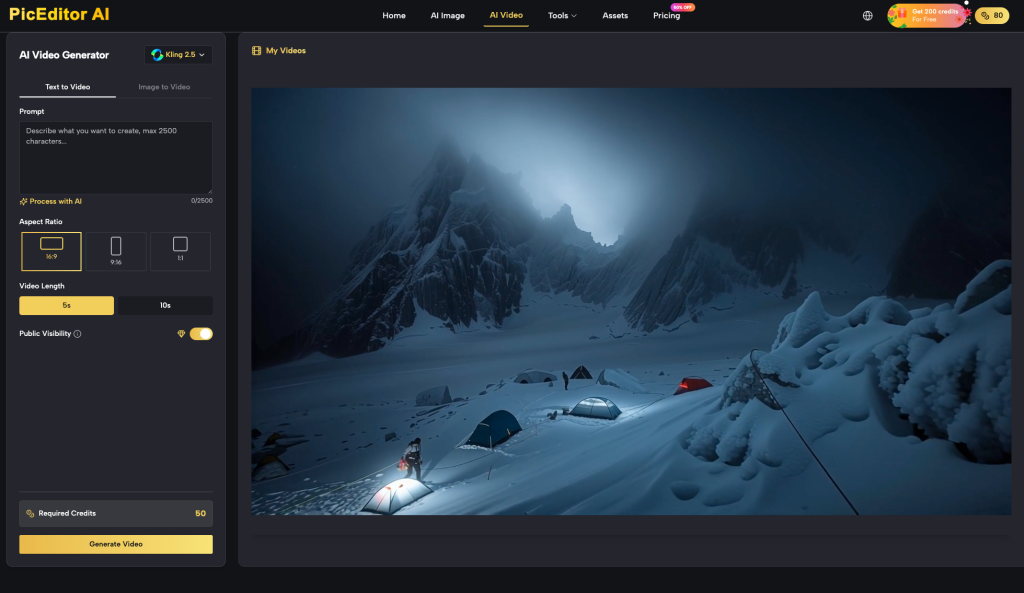
By shifting the effort to the pre-animation stage—using tools like PicEditor AI to ensure the source asset is technically sound—the failure rate drops precipitously. The pipeline becomes: Generate -> Edit/Clean -> Upscale -> Animate. This sequence treats the AI Photo Editor as the foundation of the house. If the foundation is cracked, no amount of expensive motion-modeling paint will hide the structural defects once the camera starts moving.
Ultimately, the future of high-end AI video belongs to those who respect the static frame. The motion is simply a disclosure of the image’s existing integrity. If you want better video, stop looking at your motion prompts and start looking at your pixels.
 Spero Agency